Replace the battery in your Sonos Ace Ultra
Do it yourself
Tools required • Advanced repair
You can replace the rechargeable battery in your Sonos Ace Ultra yourself by using a kit available on the sonos.com website. The kit includes a battery as well as a left screw cover label.
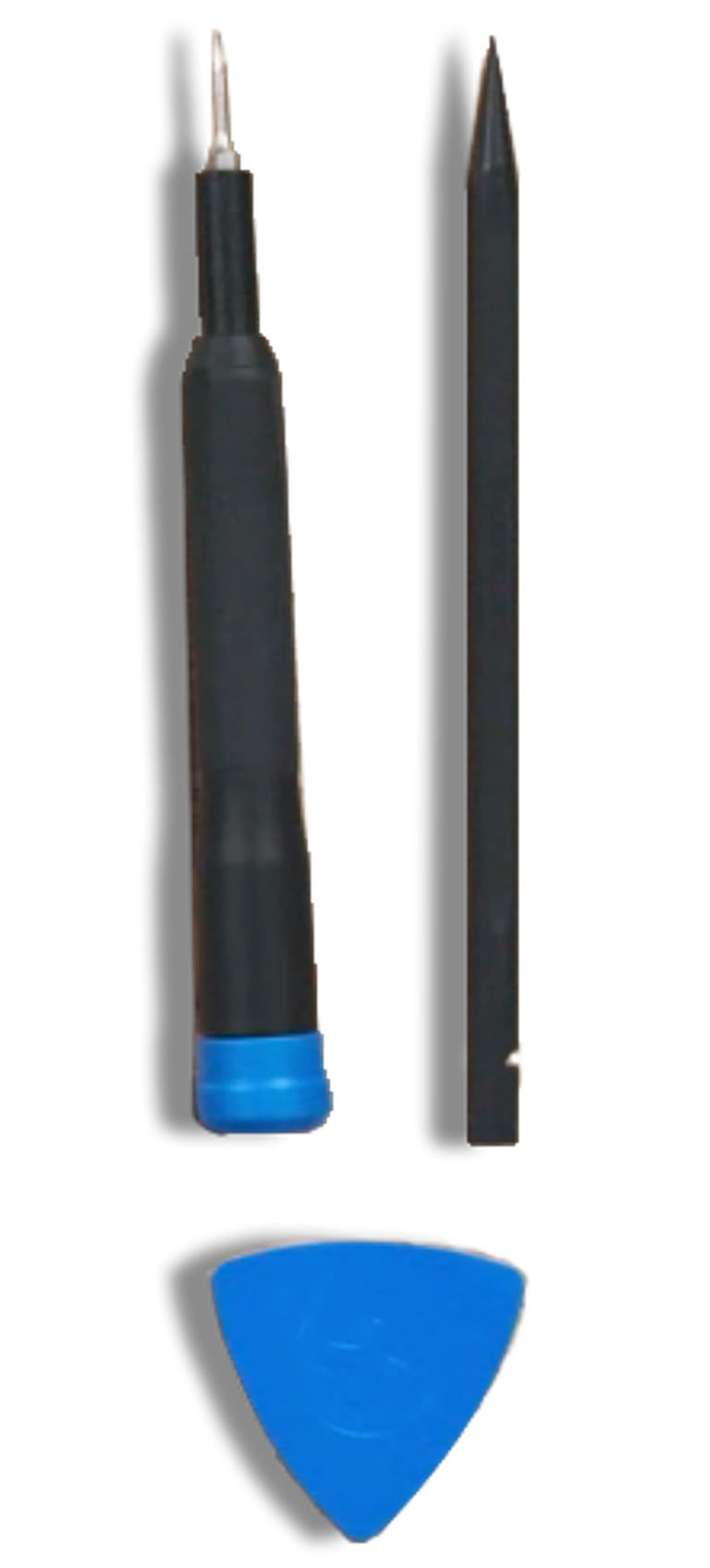
The tools needed for installation are not included but you can purchase from iFixit here and are listed below.
You can find the instructions below. We recommend you read them before getting started.
Video instructions can also be found below.

Important
Improper installation of the battery may result in damage to internal components. Proceed only if you are comfortable performing the steps listed below and have the proper tools: a T5 Torx screwdriver, a plastic spudger and a plastic opening pick.
Professional support:
If you would rather seek professional help or support on this process, please use a recommended provider from iFixit. Sonos does not recommend any particular service provider and is unable to provide direct support.
Preparation steps
- Fully discharge your battery before starting this process.
- Make sure your Sonos Ace Ultra is fully powered off by pressing and holding the power button until the status light turns off or you hear the “power off” tone.
- As you disassemble your product, make sure to secure the screws. You may use the magnetic area inside the carry case to do so.
Battery replacement steps
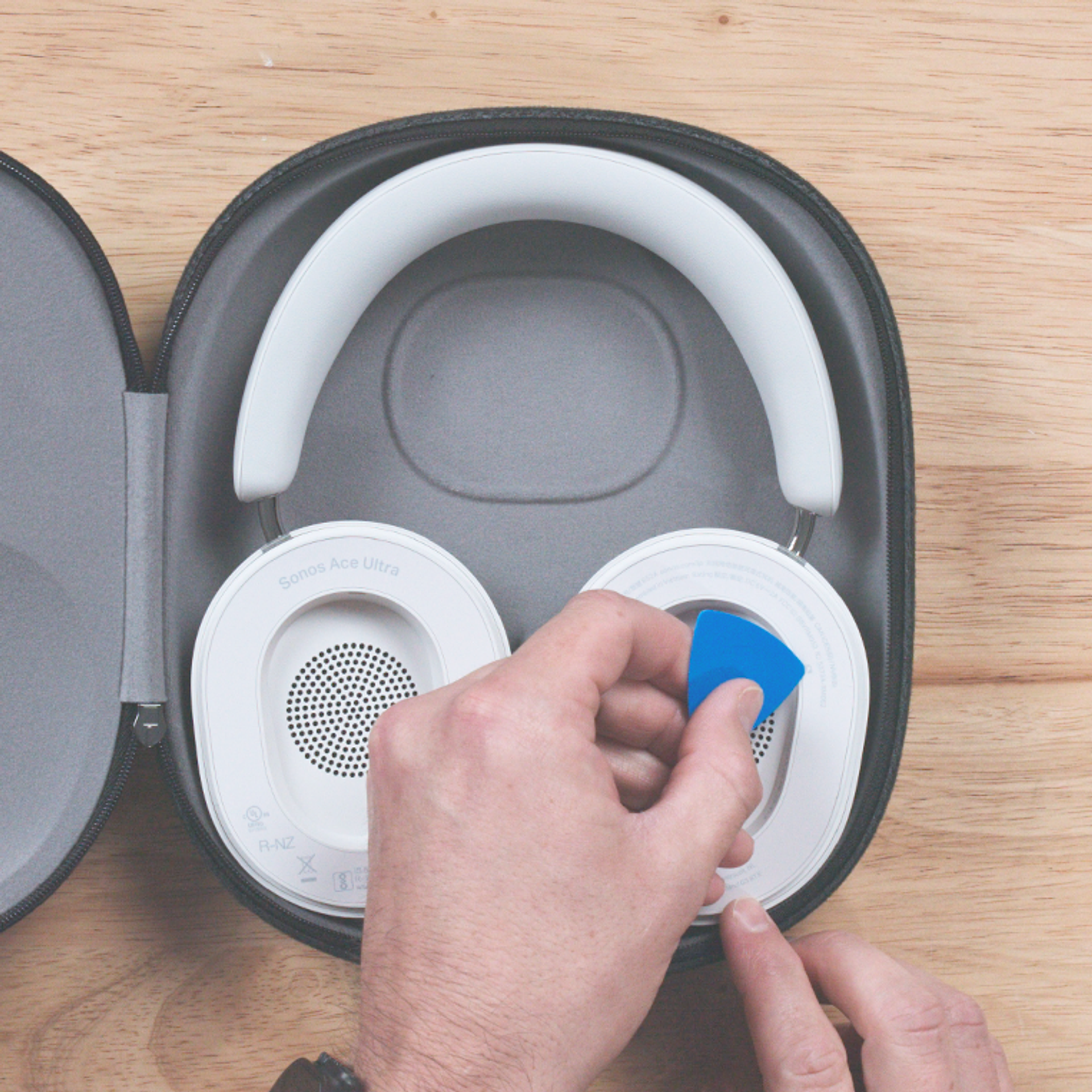
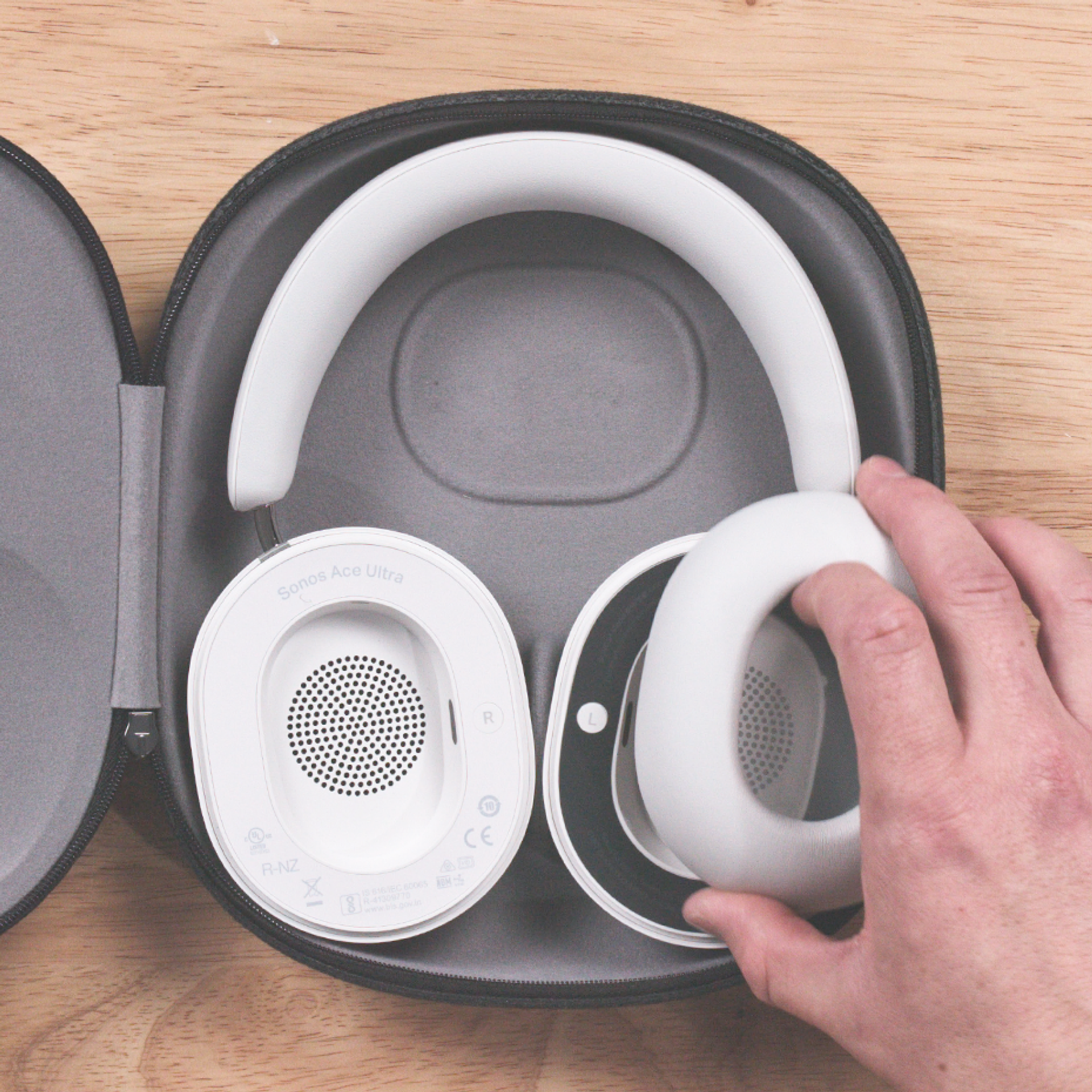
1. Identify the left earcup by looking for the L marking inside the earcup.
Then remove the left ear cushion by gently pulling it off.
Peel off the adhesive label with a plastic opening pick at the access point.
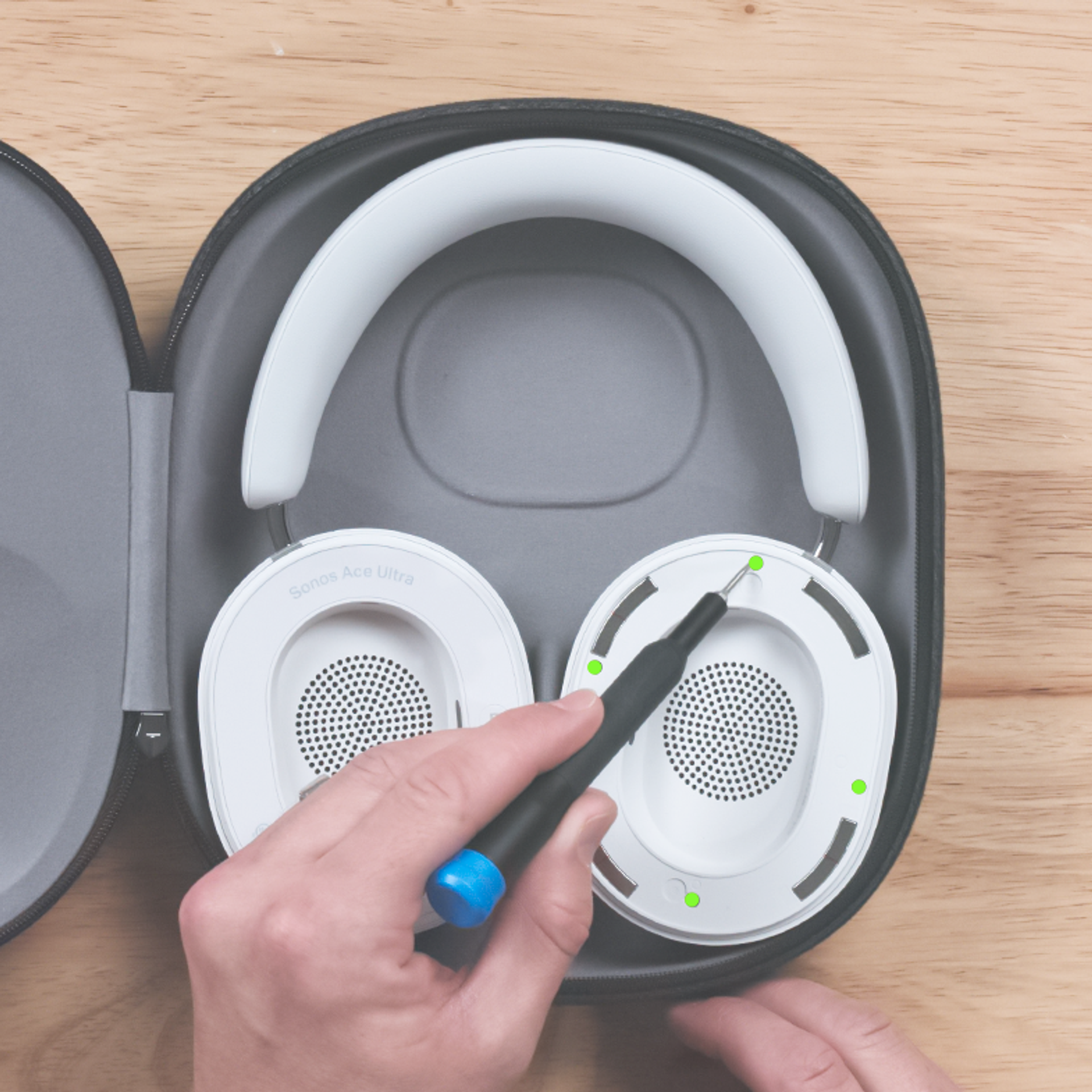
2. Remove the 4 screws (highlighted below in green) with a T5 Torx screwdriver.
3. Lift off the speaker plate carefully, as it is attached with a cable.
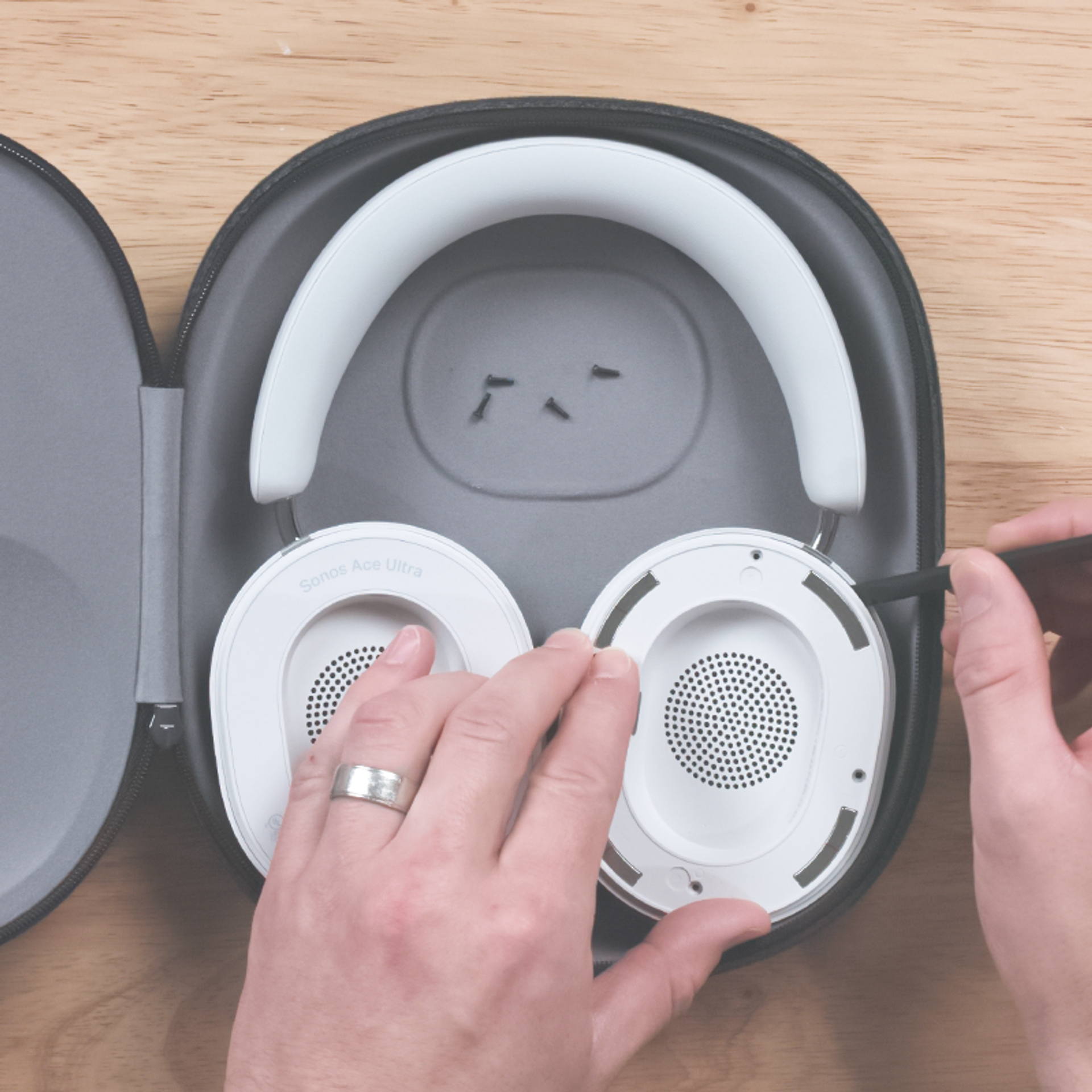
4. Use the latch and slide out the connector gently to detach the speaker plate from the circuit board.
Use a plastic spudger in order to avoid damage to the connectors.

5. Disconnect the battery connector carefully by pulling it up.
Use a plastic spudger in order to avoid damage to the connector.
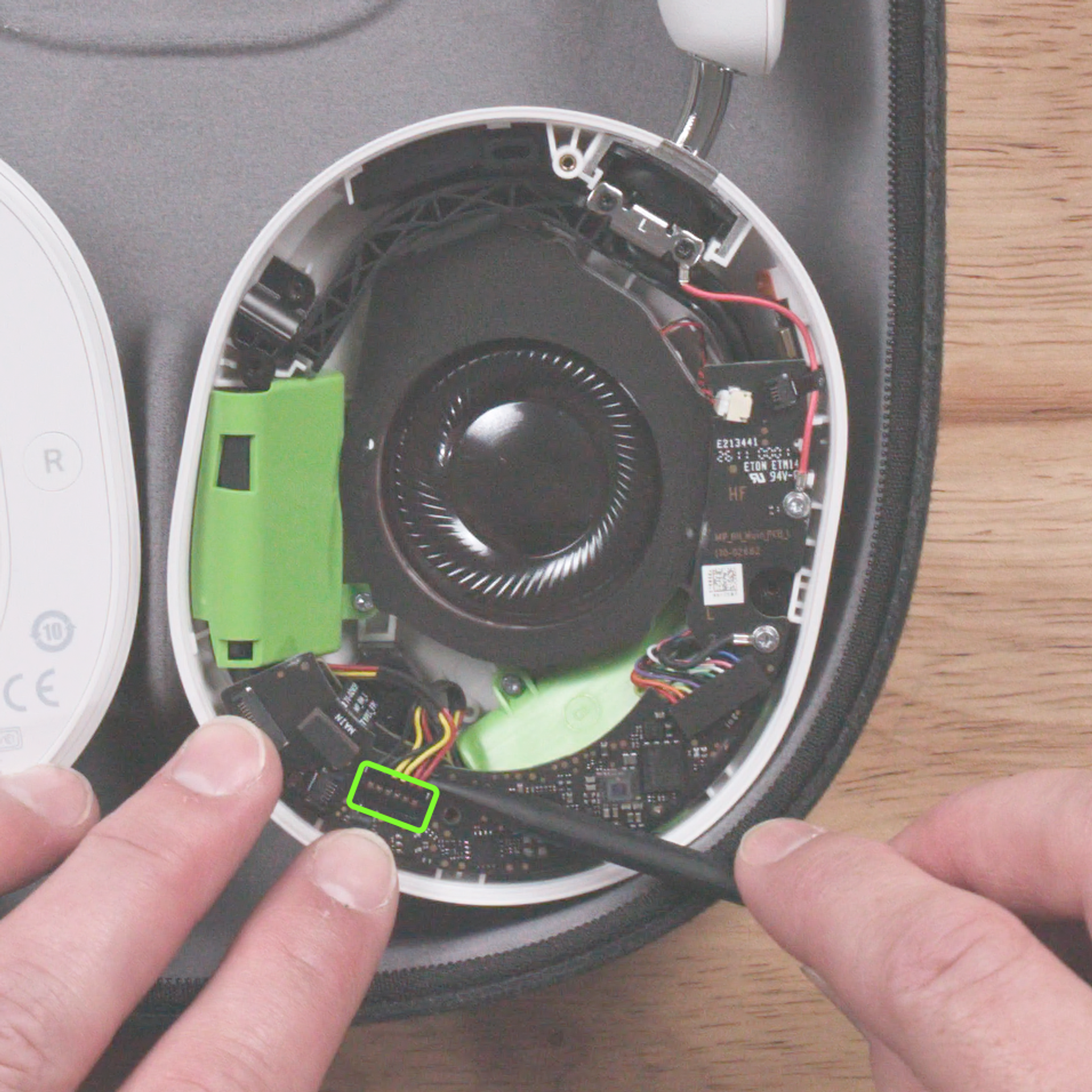
6. Disconnect the 5 remaining connectors carefully by either pulling up or sliding out.
Use a plastic spudger in order to avoid damage to the connectors.
A: Pull up
B: Use latch & slide out
C: Pull up
D: Use latch & slide out
E: Slide out

7. Remove the 2 silver screws with a T5 Torx screwdriver, and remove the circuit board.
Take extra care that screws do not fall onto the transducer.

8. Remove the 3 silver screws with a T5 Torx screwdriver, and pull out the battery.
Take extra care that screws do not fall onto the transducer.
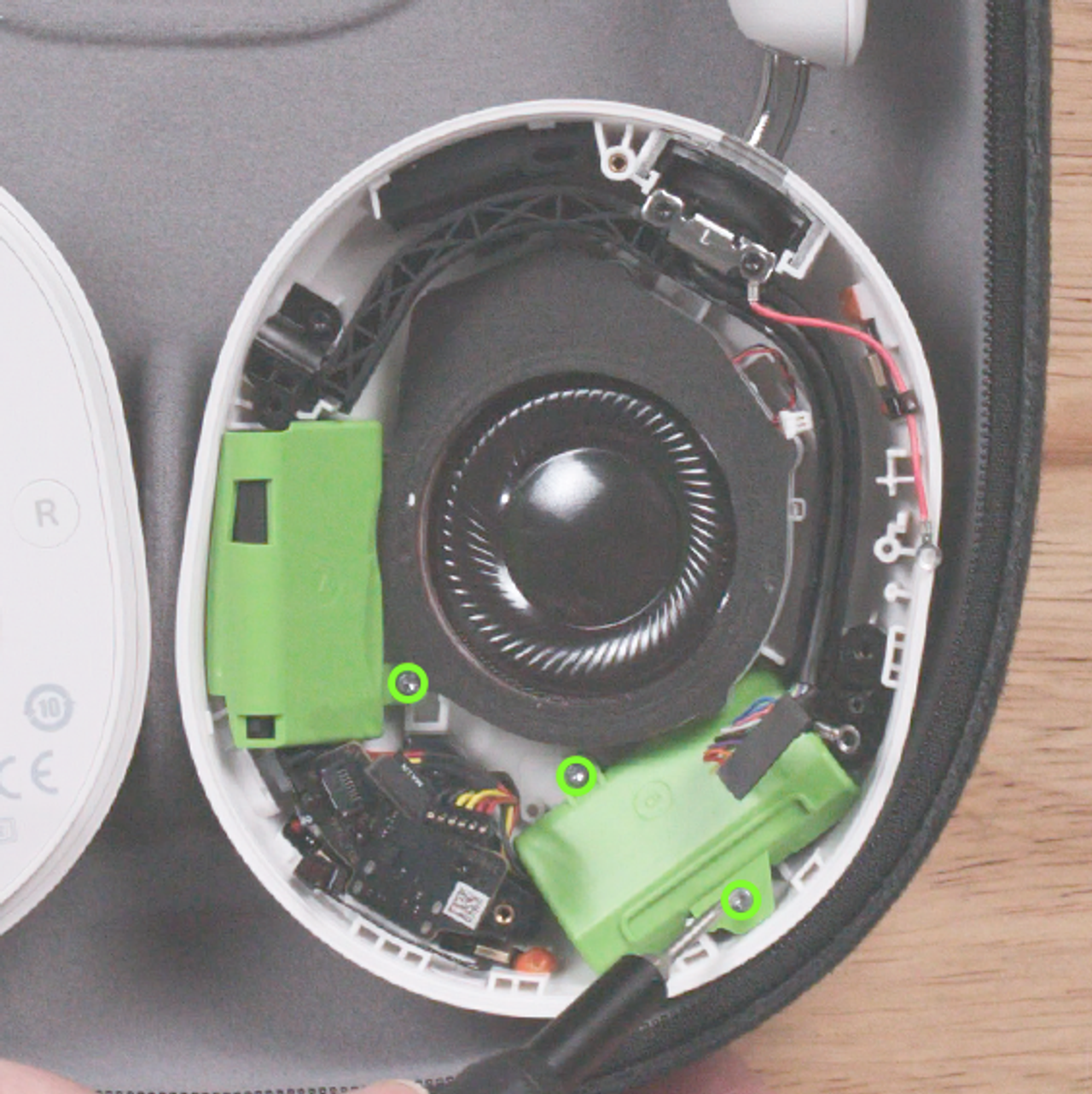
9. Reattach the new batteries in the corresponding A and B positions using the 3 silver screws and a T5 Torx screwdriver.

10. Screw the circuit board back with the 2 silver screws and a T5 Torx screwdriver.
Ensure no cables are trapped beneath the circuit board.

11. Reconnect the 5 connectors carefully.
Use a plastic spudger in order to avoid damage to the connectors.
A: Press on
B: Slide in
C: Press on
D: Slide in
E: Slide in
Make sure the latches on connectors B & E are closed.

12. Reconnect the battery connector by carefully pressing it on.
Use a plastic spudger in order to avoid damage to the connector.

13. Reconnect the speaker plate connector to the circuit board carefully by sliding it in. Make sure the connector latch is closed.
Use a plastic spudger in order to avoid damage to the connectors.
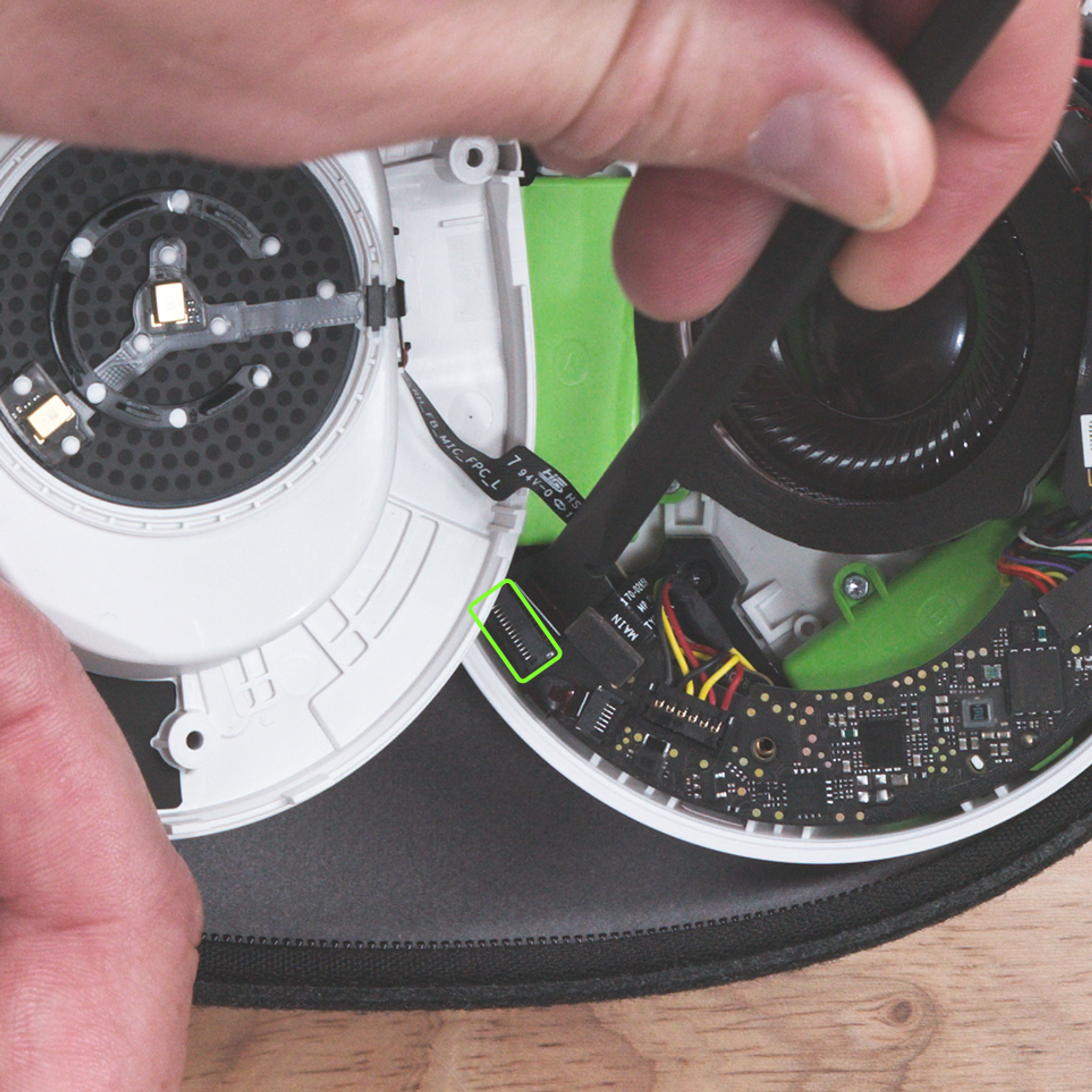
14. Screw the driver plate on with the 4 screws (highlighted below in green) and a T5 Torx screwdriver.

15. Ensure the highlighted surface below is clean and free of residue.
Stick the new adhesive label on the speaker plate, ensuring it is well aligned.
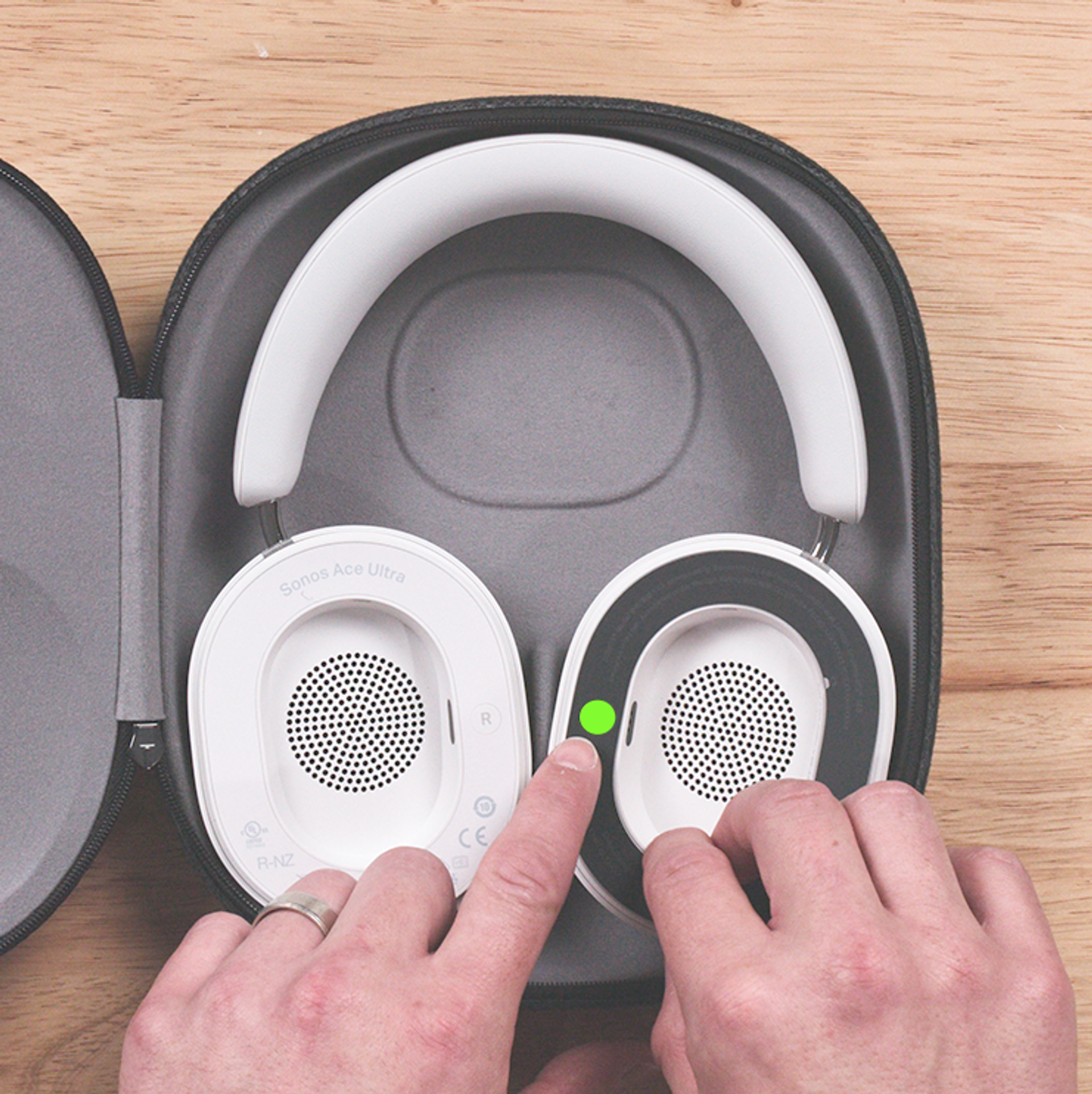
16. Place the ear cushion(s) back on the earcup(s).
17. Power on your headphones and ensure it functions as expected by playing music and toggling between noise cancellation modes.
If the headphones do not operate as expected, consider repeating this process or consulting with a professional support provider.
18. Recycle your old battery.
You can drop off your battery at any certified e-recycling facility to be recycled.


