Replace the battery in your Sonos Move or Move 2
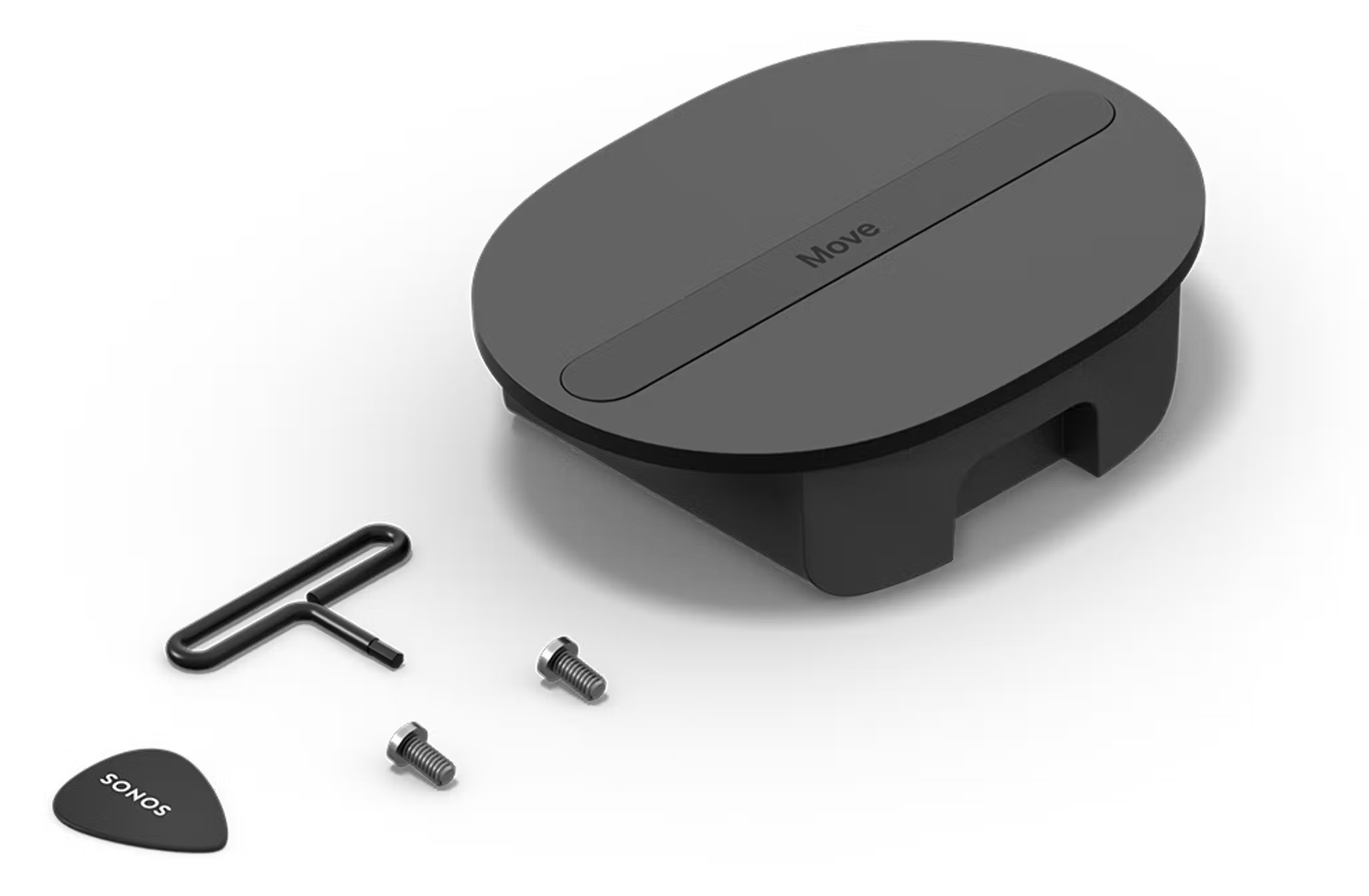
You can replace the rechargeable battery in your Sonos Move or Move 2 using the Replacement Battery Kit. The kit includes a battery as well as the tools and instructions needed to install it.
Both Move and Move 2’s batteries are compatible with each other. You can replace Move’s battery with a Move 2 battery to increase Move’s battery life by about 25%, bringing it up to around 13.5 hours.
Install the new battery
Before installing the new battery, make sure your Move product is fully powered off by pressing and holding the power button for at least ten seconds.
1.

Place your Move or Move 2 upside-down on a flat surface so the rubber end cap is facing up.
2.

Use the included Sonos pick to lift up both ends of the long rubber strip running across the underside of the product.
3.

Use the included hex key to remove the two screws located under the ends of the rubber strip.
4.

Hold both ends of the rubber strip and lift the battery up and out of the speaker.
5.

Insert the replacement battery.
6.

Use the Sonos pick to lift both ends of the rubber strip on the replacement battery, then secure it in place using the hex key and screws.
7.

Once your new battery is secure, place your Move product on its charging dock to turn it on.
Recycle your old battery
You can drop off your battery at any certified e-recycling facility to be recycled.


