Use a Samsung F Series Smart Remote with Sonos
The Samsung F Series TouchPad remote control does not output Infrared (IR) signals which are required to control a Sonos home theater speaker.
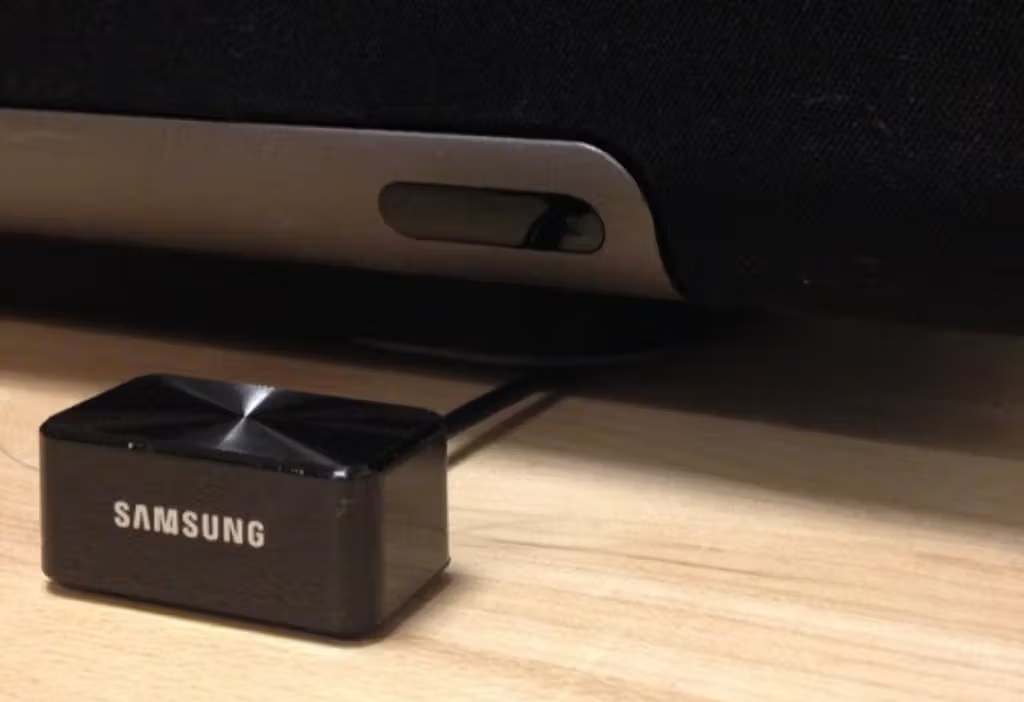
The TV comes with an IR emitter that wires into the IR Out port on the back of the TV. This allows the TV to control Sonos and other devices that require IR.
Before you start
- Connect the IR emitter to the IR Out port on the back of the TV, then place the head of the emitter in front of the Sonos home theater speaker’s IR sensor. The emitter may need to be at least two inches away from the IR sensor.
- If you are not going to use the Samsung Smart Remote to control the volume of your Sonos home theater speaker and just want to get rid of the message displayed on the TV when controlling the volume, you only need to follow the steps in “Program the remote.”
1
1
Program the remote
- Use the Samsung remote to go to the TV’s Main Menu.
- Select either System > Device Manager > Universal Remote Control Setup (F-series) or System > Universal Remote Control Setup (H-series).
- Select Start > Home Theater > Select Samsung as the brand.
- Choose Optical for the connection type.
- Run the function test and select Yes it worked (nothing will have changed).
- Exit the menu.
2
2
Configure Sonos to work with the programmed remote
Sonos app for iOS or Android


- Go to the Settings menu and select the name of your home theater speaker.
- Under Home Theater, select Remote Control Setup.
- Follow the steps to connect your Samsung remote to your home theater speaker.


Sonos S1 Controller for iOS or Android


- From the Settings tab, select System, then select the name of your home theater speaker.
- Select Remote Control Setup, then Replace Current Remote.
- Follow the steps to connect your Samsung remote to your home theater speaker.