Charging Sonos Play
This article provides information on how to charge your Play with the charging base or a USB-C cable.
Connect Play to power
When Play is placed on the charger or plugged in to power, the LED on the front will show a solid orange light to show that it has started charging. After about 10 seconds, the light will turn off but Play will continue charging.
Using the charging base
Place Play on the charging base with charging contacts aligned and touching. Make sure your Play is completely dry and free of debris on the charging contacts before placing it on the charging base. The charging base is designed for indoor use only.
Using a 45 W power adapter, customers can quickly charge Play: it takes 60 minutes to go from 0% - 50% capacity, and an additional 120 minutes to achieve a full 100% charge.
If a red LED blinks on the charging base itself, this indicates an insufficient power adapter is connected.

Using a USB-C PD charger
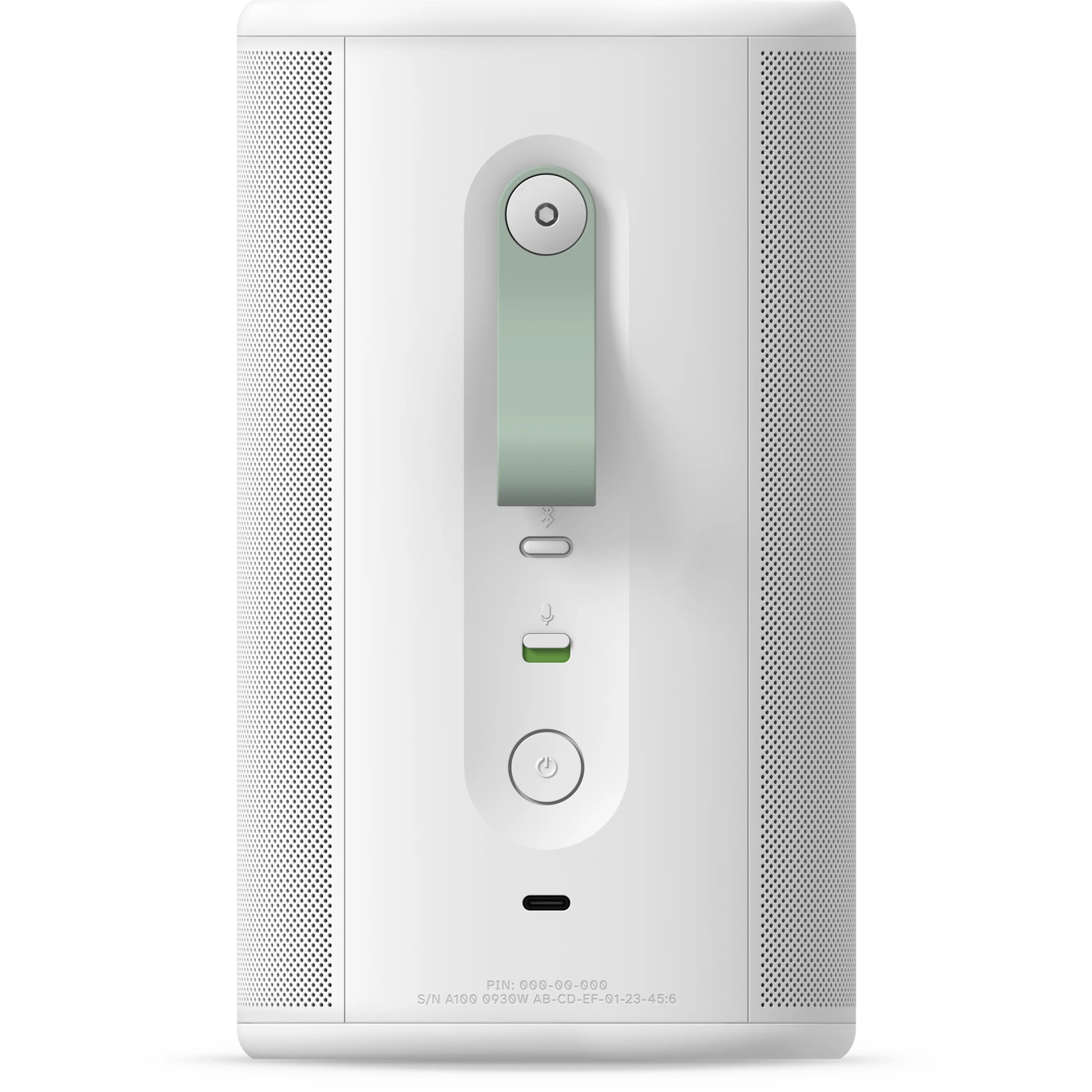
Play’s USB-C port is located on the back of the speaker above the charging contacts. Ensure that cables and ports are clean and dry, and that the USB-C cable is fully inserted into Play and the power source.
The power adapter must be a USB-C PD charger, outputting a maximum of 45 W (20 V/2.25 A or 15 V/3 A). You may also use a 36 W charger that outputs at least 12 V/3 A or 15 V/2.4 A, but the charging speed will be reduced. Minimum acceptable charger is 18W (9V/2A).
Play’s battery fully charges in about three hours while using a 45 W power adapter, taking only 60 minutes to go from 0% - 50% capacity, and an additional 120 minutes to achieve a full charge.
Check Play’s battery level
In the Sonos app, open the System view by selecting your system’s name at the top-left of the screen. The battery level will appear in the listing for your Play.
A is added to the battery indicator when Play is connected to power to show that it is charging.


You can also check the battery level by asking Sonos Voice Control “What’s the battery level on Play?”
Play’s battery light
The battery light on the front of your Play will flash orange when it’s low on battery (6% charge or less).
When connected to power, Play will display a solid orange light to indicate that it’s charging. After about 10 seconds, the light will turn off but Play will continue to charge.
If the battery is depleted or has a very low charge, the orange light will stay on longer than 10 seconds until Play has enough charge to turn on. This charging time may vary based on the power adapter that Play is using and how depleted the battery is. Once the battery light turns off, Play may still require additional charging before it can be used on battery power.

Battery life and cycle count
Play’s 35 WH battery provides up to 24 hours of uninterrupted playback. Pausing, volume level, Bluetooth, heat exposure, and other factors will cause battery life to fluctuate.
The battery lifespan is about five years or 750 charges, after which you can purchase a replacement battery. Leaving Play on the charging base long-term will not reduce the battery’s lifespan.


