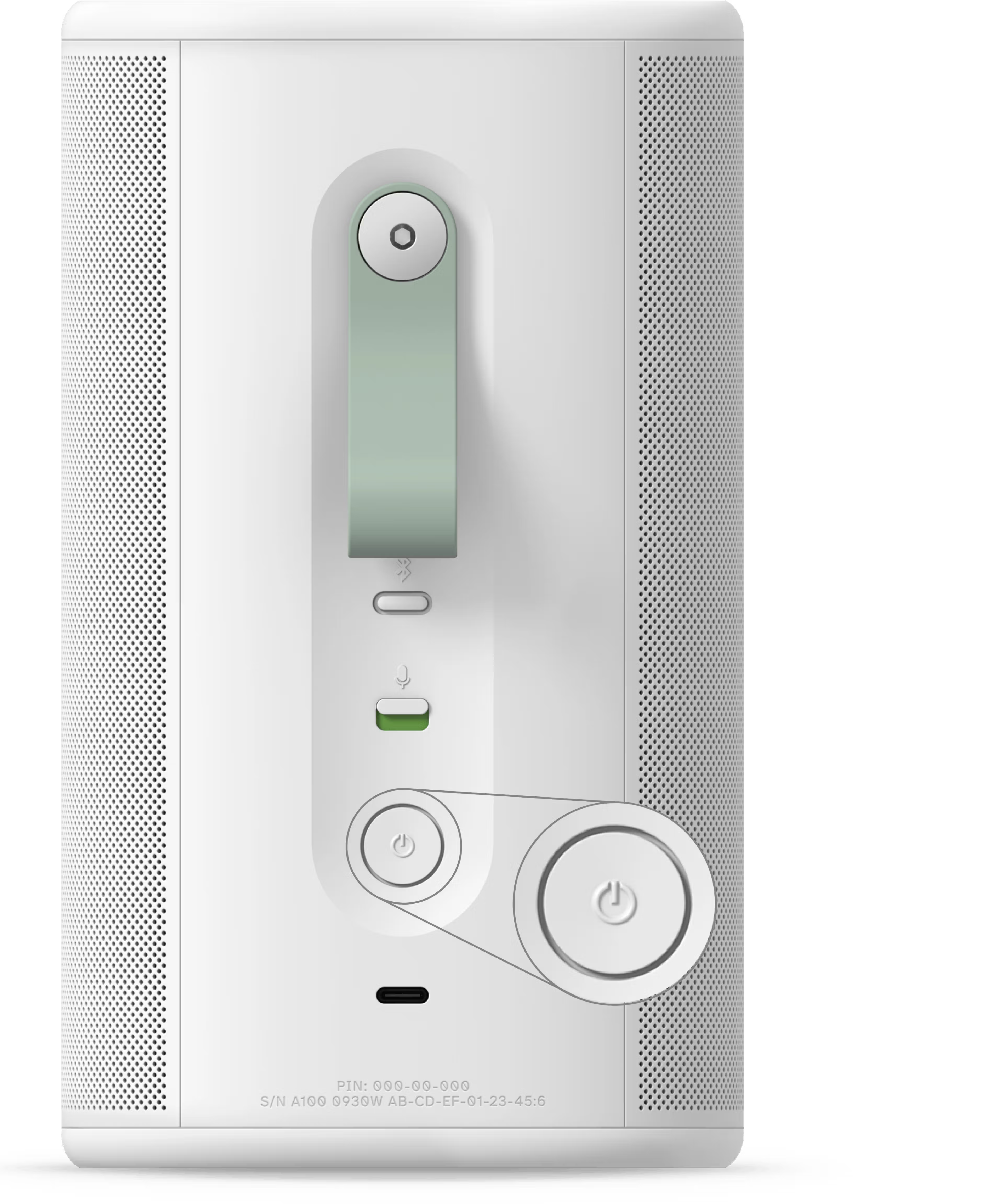
Put Sonos Play into sleep mode
Sonos Play can be placed into sleep mode to reduce battery usage and disable the button controls when not in use. To manually place Play into sleep mode, simply press and release the Power button located on the back. You’ll hear a short chime and the status light will turn off. When in sleep mode, the battery can last up to 10 days.


To wake up Play, press and release the Power button, connect it to the USB-C charger, or place it on the wireless charging base.
Note that putting Play into sleep mode does not completely power it off. To fully power it off, press and hold the button on the back for at least 5 seconds. You will hear a chime and the status light on the front will turn off.
Battery Saver Mode on
If Battery Saver Mode is on and Play is running on battery power and not playing audio, it will automatically enter sleep mode after 30 minutes, and will remain in sleep mode for 10 minutes before automatically turning off. Battery Saver Mode on Play is set to on by default.
Battery Saver Mode off
If Battery Saver Mode is off and Play is running on battery power and not playing audio, it will remain on for 48 hours.