Pair Sonos Ace and Sonos Ace Ultra with Bluetooth
This article will show you how to pair your Bluetooth devices with Sonos Ace Ultra and Sonos Ace.
Pairing your device
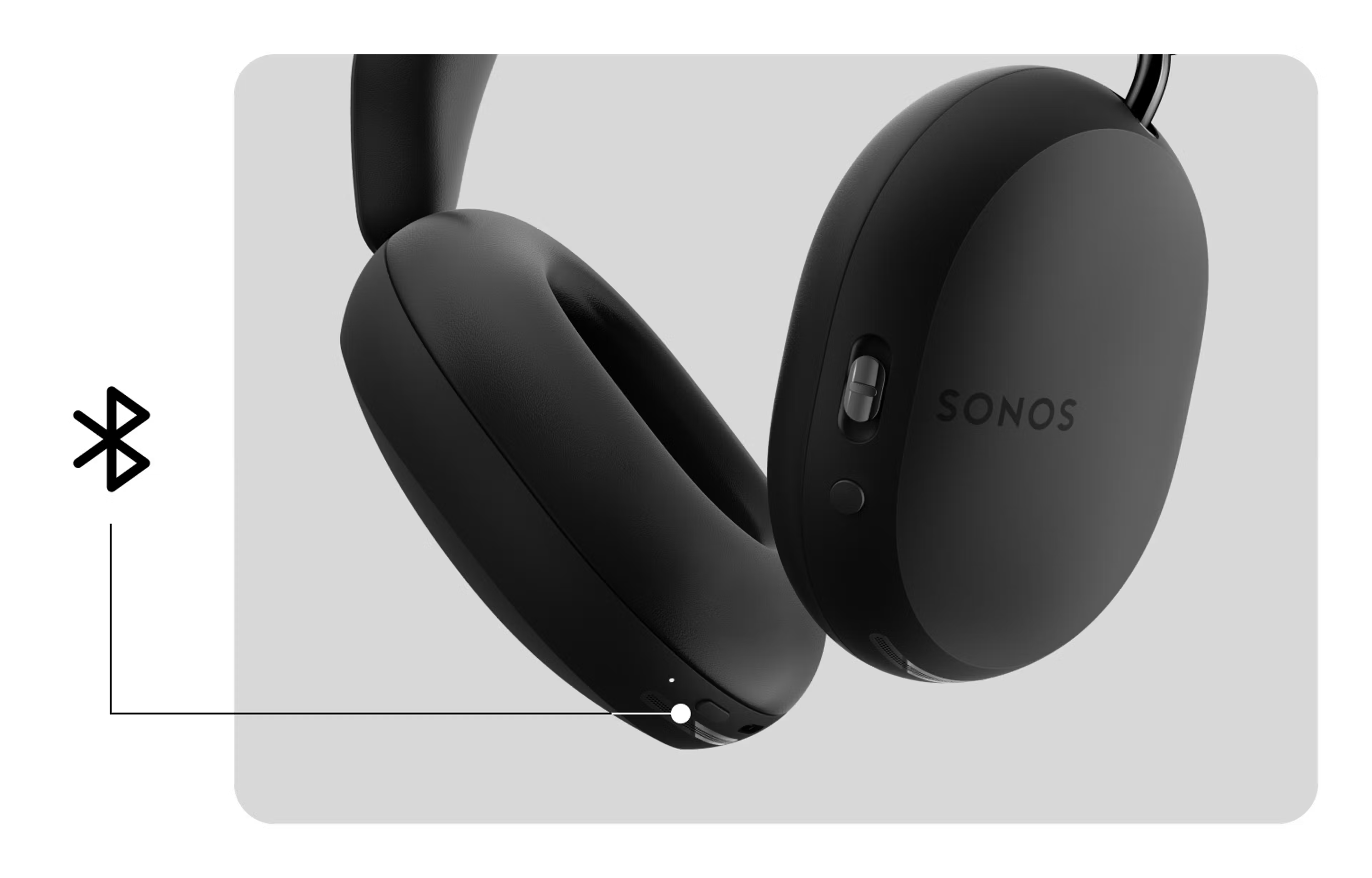
To pair your Bluetooth device with Sonos Ace Ultra or Sonos Ace, you must first put Sonos headphones in Bluetooth pairing mode.
- On Sonos Ace Ultra’s or Sonos Ace’s left earcup, press and hold the Power / Bluetooth button until the status light begins flashing blue.
- Go to your device’s Bluetooth settings and select your Sonos headphones from the list of available devices.
- When successfully paired, the status light on your Sonos headphones will change to solid blue.
You can pair additional devices with Sonos Ace Ultra and Sonos Ace by repeating these steps.
Connect to two devices simultaneously
Sonos Ace Ultra and Sonos Ace supports Bluetooth multipoint, meaning it can maintain connections to two Bluetooth devices at the same time. This setting is disabled by default, but you can enable it in the Sonos app after your Sonos Ace or Sonos Ace Ultra headphones have been set up and registered.
To enable Bluetooth multipoint:
- Go to the Settings menu and select your Sonos Ace or Sonos Ace Ultra under the Headphones section.
- Under Bluetooth, enable Multipoint.


When Sonos headphones are connected to two devices, you can play audio from either one. To switch audio playback, pause the audio from one device and start audio on the other.
Reconnecting Sonos Ace or Sonos Ace Ultra with your device
When powered on, Sonos headphones will search for a previously-connected device and automatically connect to it. If they have been paired with multiple devices, they will connect to the nearest one.
Stop Sonos Ace or Sonos Ace Ultra from automatically connecting to your device
You can stop Sonos headphones from connecting to your device by removing the Sonos headphones listing from your device’s list of remembered connections. To do this, open your device’s Bluetooth or Connected Device settings and find Sonos Ace or Sonos Ace Ultra on the list. Select it, then choose Forget or Remove. Your Sonos headphones will no longer connect to this device when powered on.


